Why Your Profile Matters 🎯
A complete profile helps you connect with the right communities, increases your visibility, and makes it easier for others to discover and engage with your content. Profiles with complete information receive 3x more engagement on average.
Step-by-Step Profile Setup
Upload Your Profile Picture
Add a professional profile picture to make your account recognizable.
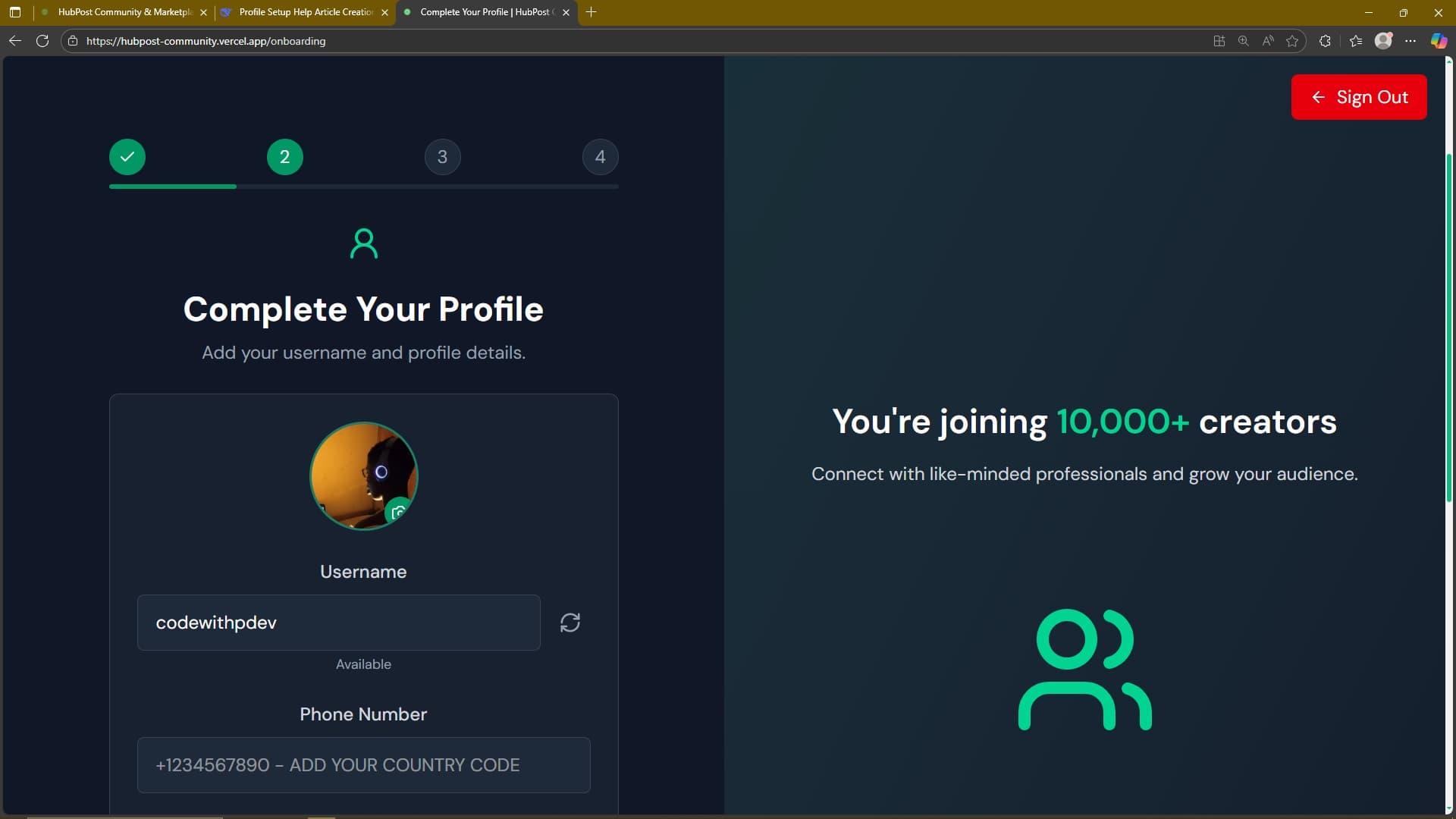
📸 Tip: Use a clear, high-quality image
Helpful Tips:
- Use a clear, high-quality image
- Square images work best for profile pictures
- File size should be under 20MB
Choose Your Username
Select a unique username that represents you or your brand.
📸 Tip: Username must be unique
Helpful Tips:
- Username must be unique
- You can generate suggestions if needed
- Choose something memorable and professional
Add Your Phone Number
Verify your account with a phone number for security purposes.
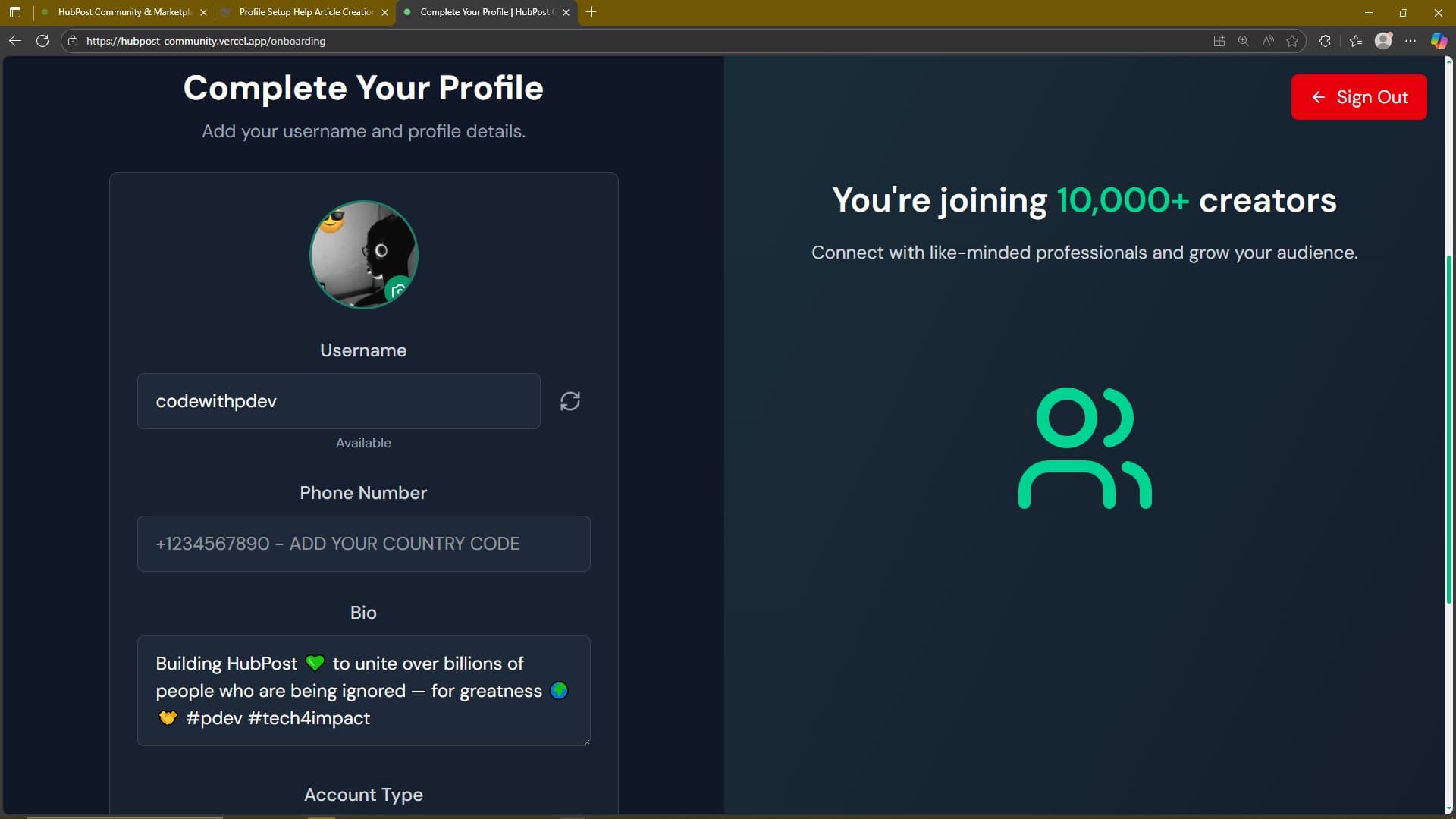
📸 Tip: Include your country code
Helpful Tips:
- Include your country code
- This helps secure your account
- Your number is kept private
Write Your Bio
Tell the community about yourself in a short bio.
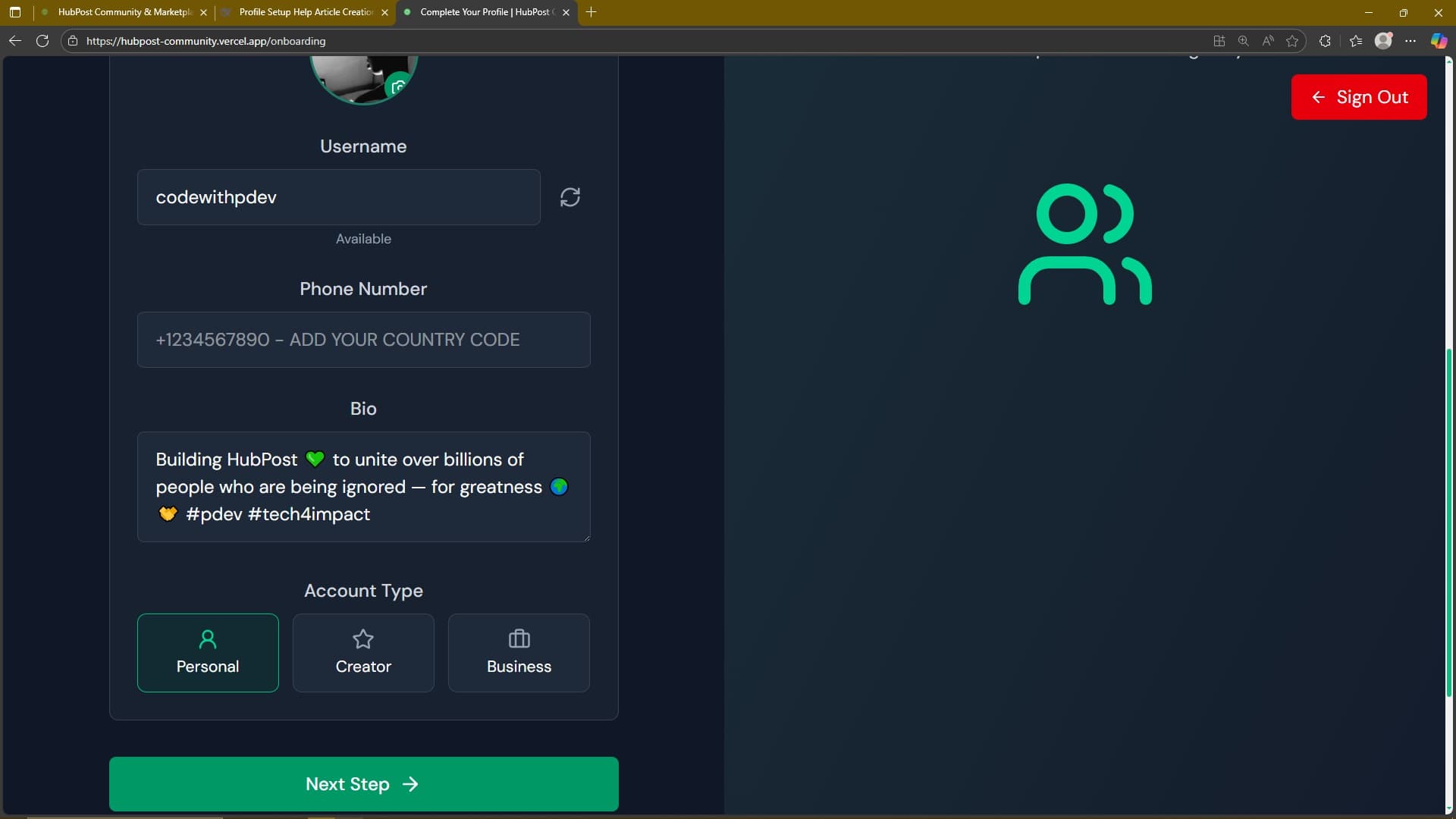
📸 Tip: Keep it concise but informative
Helpful Tips:
- Keep it concise but informative
- Highlight your interests or expertise
- You can update this anytime
Select Account Type
Choose between Personal, Creator, or Business account.
📸 Tip: Personal: For individual users
Helpful Tips:
- Personal: For individual users
- Creator: For content creators
- Business: For brands and companies
Choose Your Interests
Select topics you're interested in to personalize your feed.
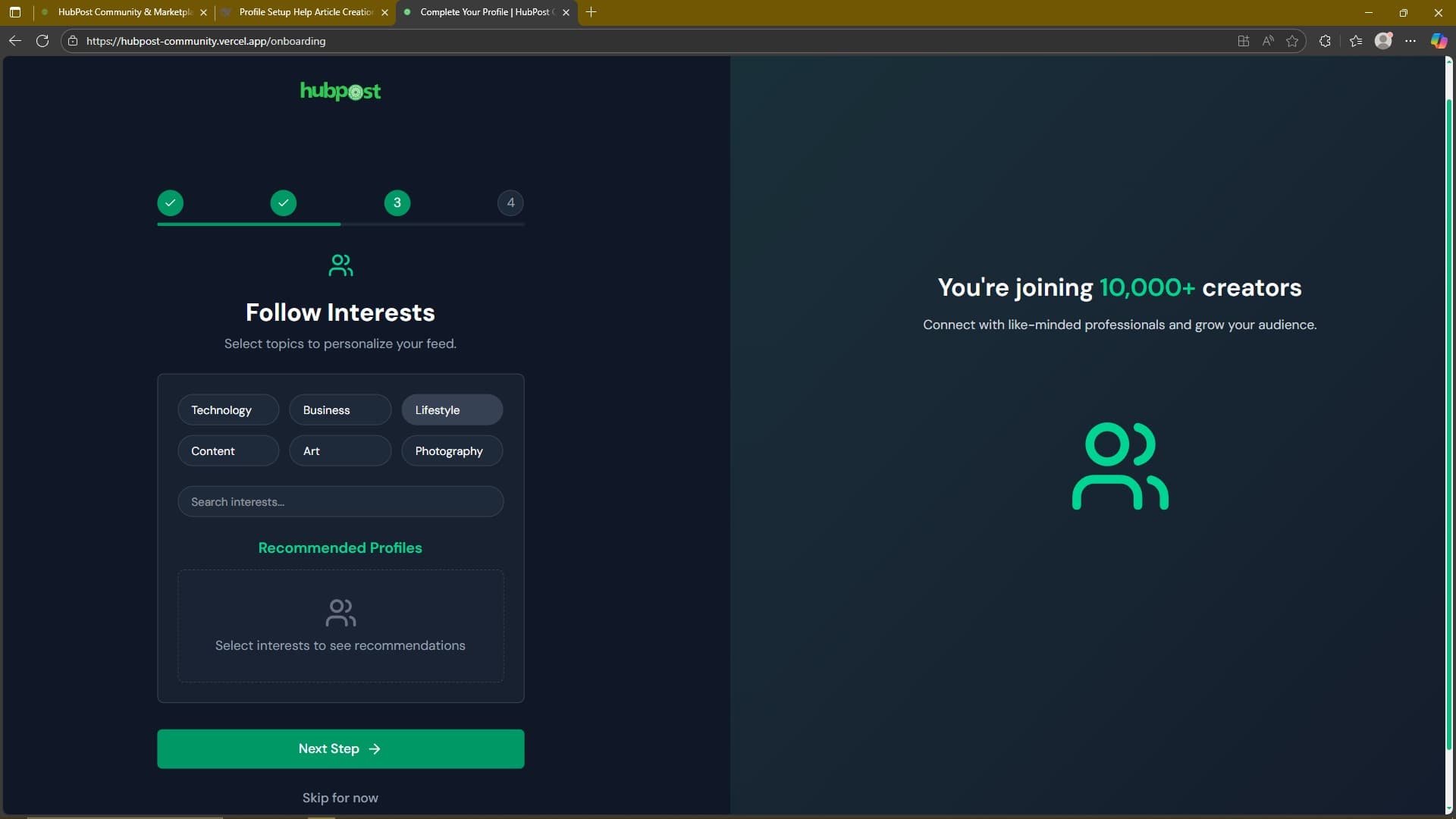
📸 Tip: Select at least 3-5 interests
Helpful Tips:
- Select at least 3-5 interests
- This helps us recommend relevant content
- You can always add more later
Connect Social Accounts
Link your other social media profiles to grow your network.
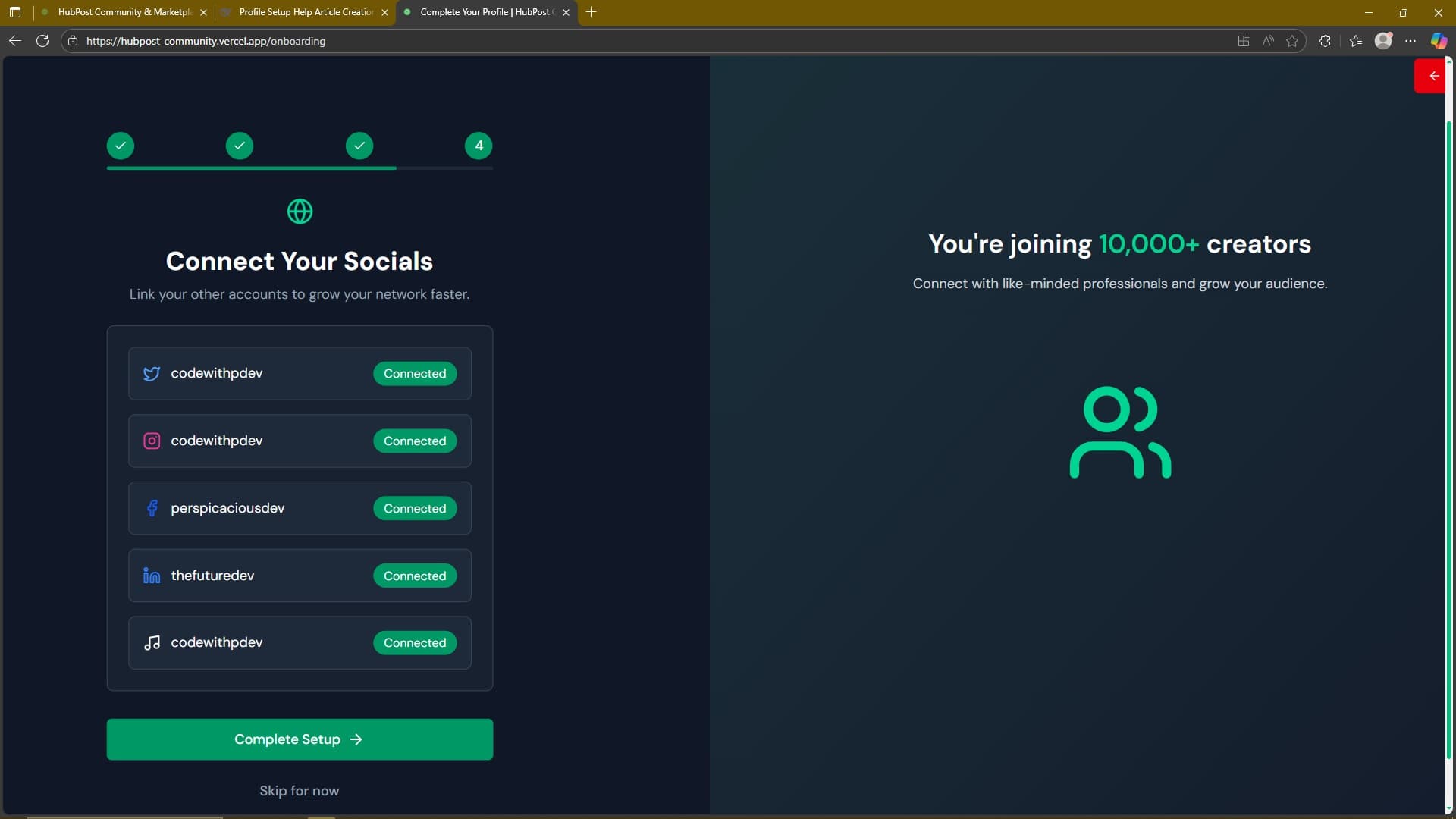
📸 Tip: Connect platforms you're active on
Helpful Tips:
- Connect platforms you're active on
- Helps others find you across platforms
- Optional but recommended
Popular Interest Categories
Select interests that match your passions to see relevant content and connect with like-minded people.
Account Type Comparison
Personal
- • Individual user account
- • Basic community features
- • Personal content sharing
- • Connect with friends
Creator
- • Content creation tools
- • Audience analytics
- • Monetization options
- • Enhanced visibility
Business
- • Brand management tools
- • Team collaboration
- • Marketplace features
- • Business analytics
Common Profile Setup Issues
❌ Username already taken
Use the generate button for suggestions or try variations
❌ Image upload fails
Check file size (max 20MB) and format (JPEG, PNG, WebP)
❌ Phone verification issues
Ensure you include country code and correct number
❌ Interest selection limited
You can add custom interests using the search feature
Ready to Optimize Your Profile?
A complete profile significantly increases your visibility and engagement on HubPost. Take a few minutes to set it up properly!