Welcome to the HubPost Community! 🎉💚🌎
Creating an account on HubPost is your first step toward connecting with communities, growing your visibility, and accessing our built-in marketplace. This guide will walk you through the entire process.
Step-by-Step Guide
Access the Signup Page
Navigate to the HubPost signup page by clicking 'Sign Up' from the homepage or login page.
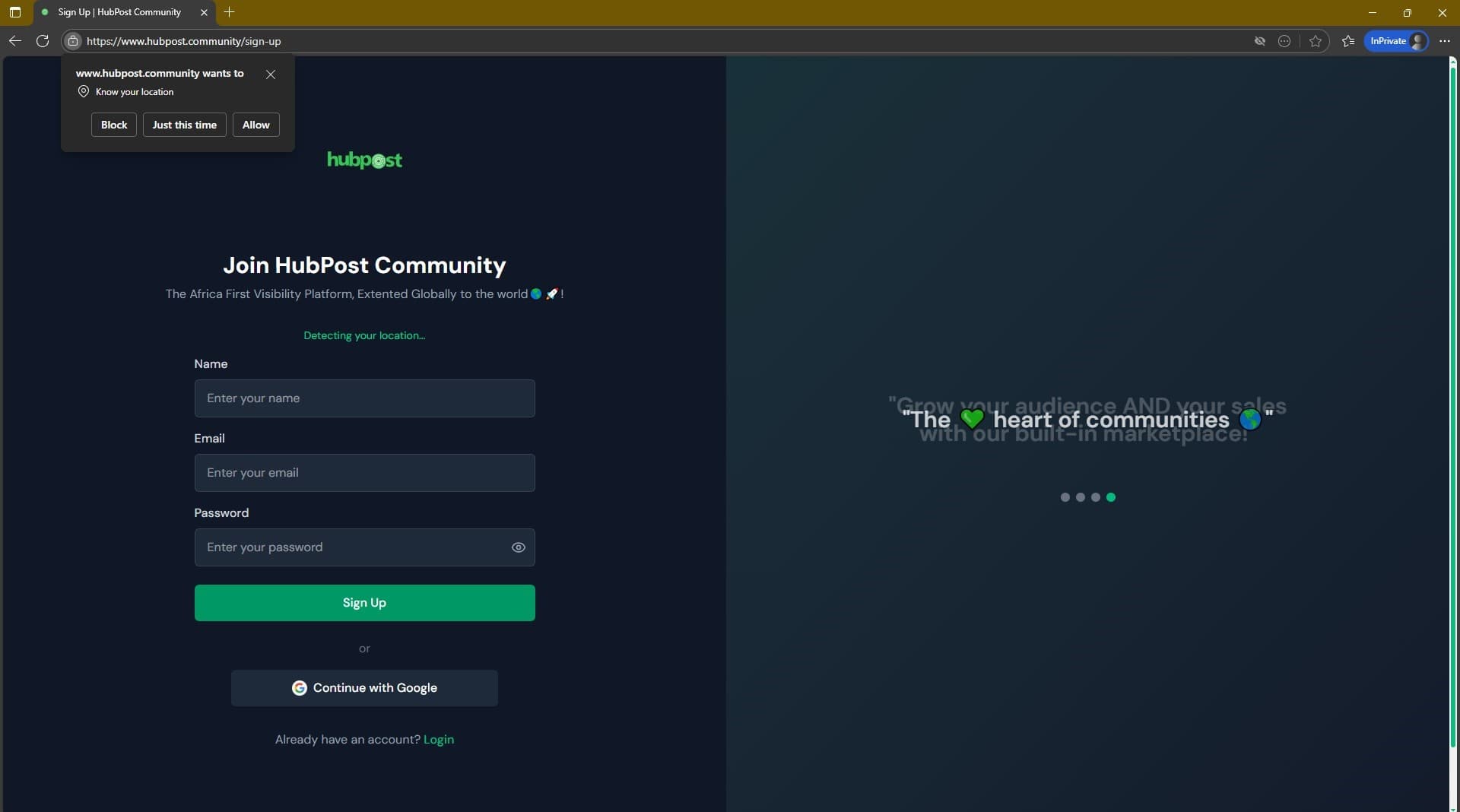
📸 Tip: Make sure you're on the official HubPost website
Helpful Tips:
- Make sure you're on the official HubPost website
- Look for the green 'Sign Up' button
Fill in Your Basic Information
Enter your name, email address, and create a secure password.
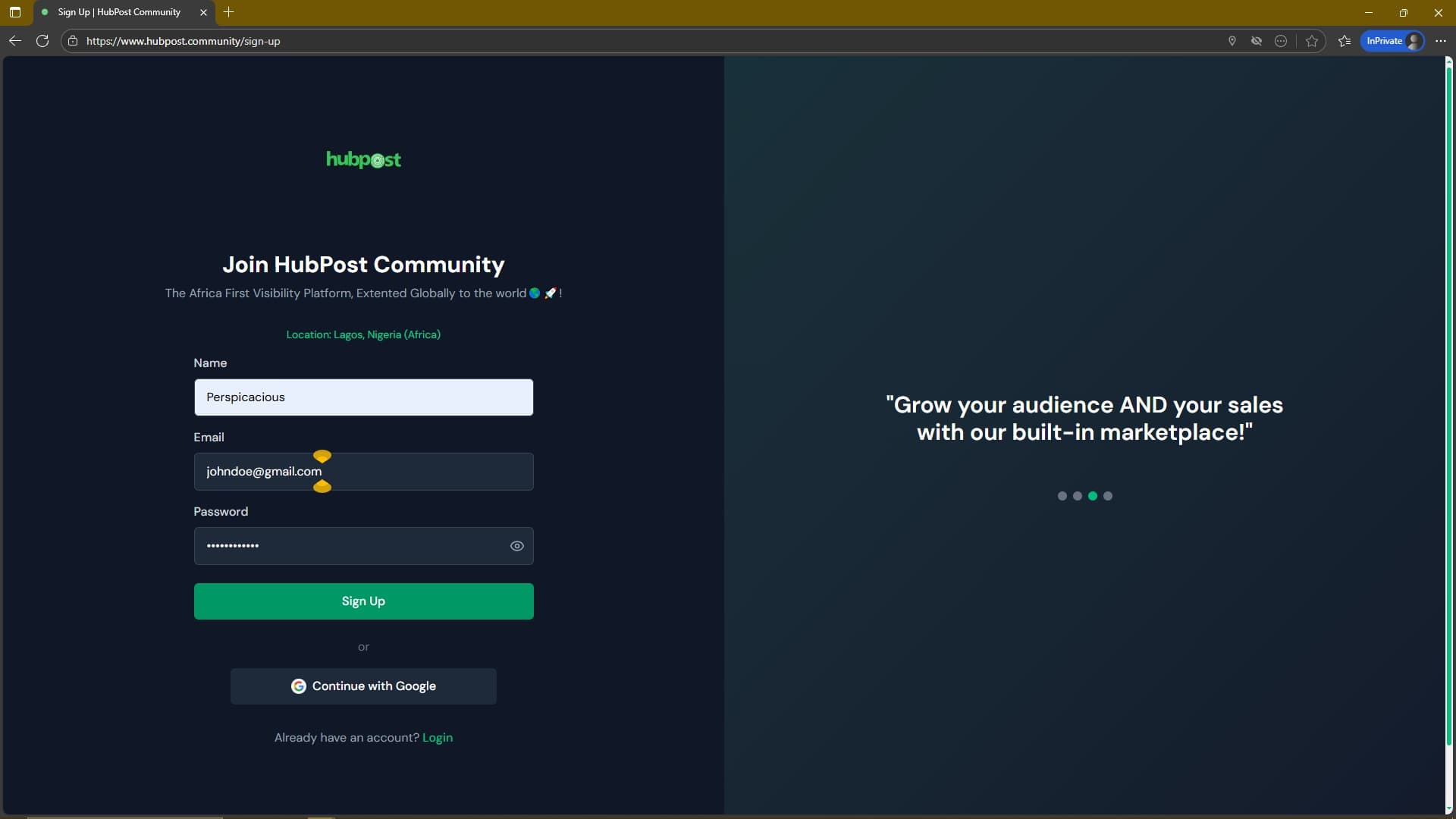
📸 Tip: Use a valid email you have access to
Helpful Tips:
- Use a valid email you have access to
- Password must be at least 6 characters long
Allow Location Access
Grant location permissions for better personalized experience and community connections.
📸 Tip: Location helps connect you with local communities
Helpful Tips:
- Location helps connect you with local communities
- You can adjust location settings later
Choose Signup Method
Create account with email or continue quickly with Google.
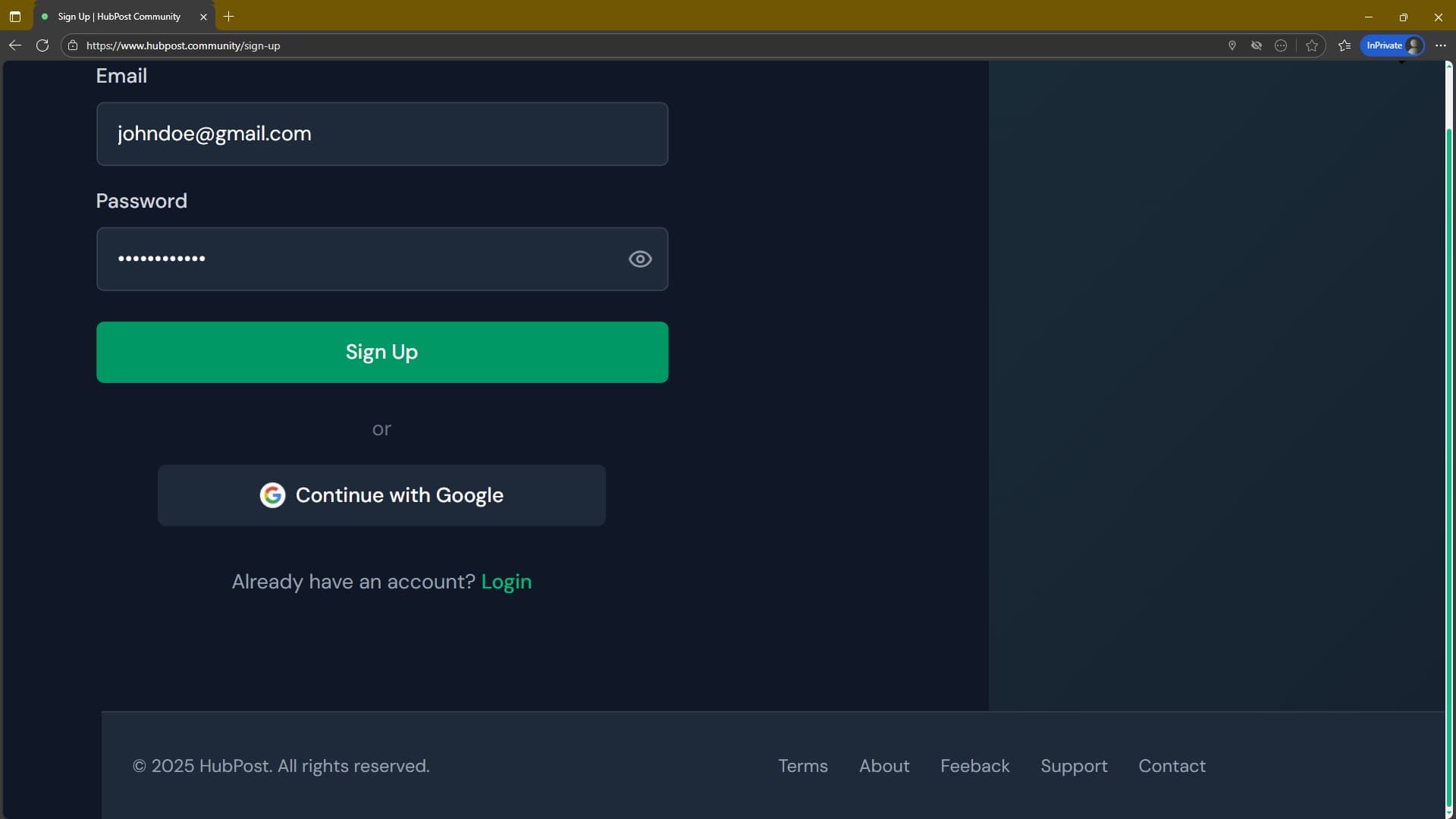
📸 Tip: Google signup is faster but requires a Google account
Helpful Tips:
- Google signup is faster but requires a Google account
- Email signup gives you full control
Complete Registration
Click 'Sign Up' and check your email for verification if required.
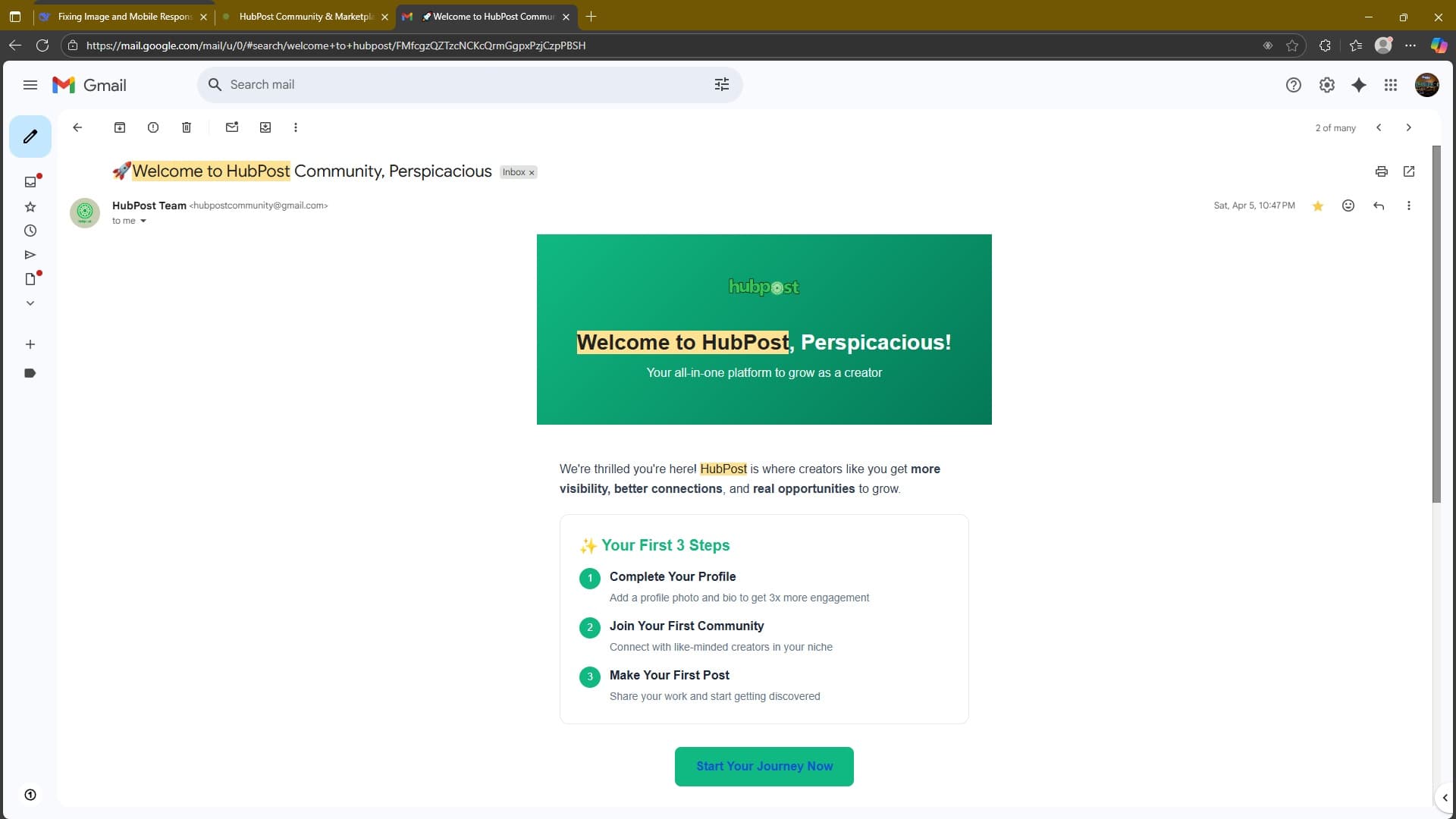
📸 Tip: Check spam folder if you don't see verification email
Helpful Tips:
- Check spam folder if you don't see verification email
- Keep your login credentials secure
Try It Out
Sample Signup Form
What Happens Next?
Email Verification
Check your inbox for a verification link
Profile Setup
Complete your onboarding process
Explore HubPost
Start connecting with communities
Common Issues & Solutions
❌ Email already exists
Try resetting your password or use a different email
❌ Location not detected
Check browser permissions or try on a different device
❌ Password too weak
Use at least 6 characters with letters and numbers
❌ Google signup failed
Clear browser cache or try email signup instead
Ready to Get Started?
Now that you know how to create an account, take the next step and join the HubPost community today!